Quick Answer
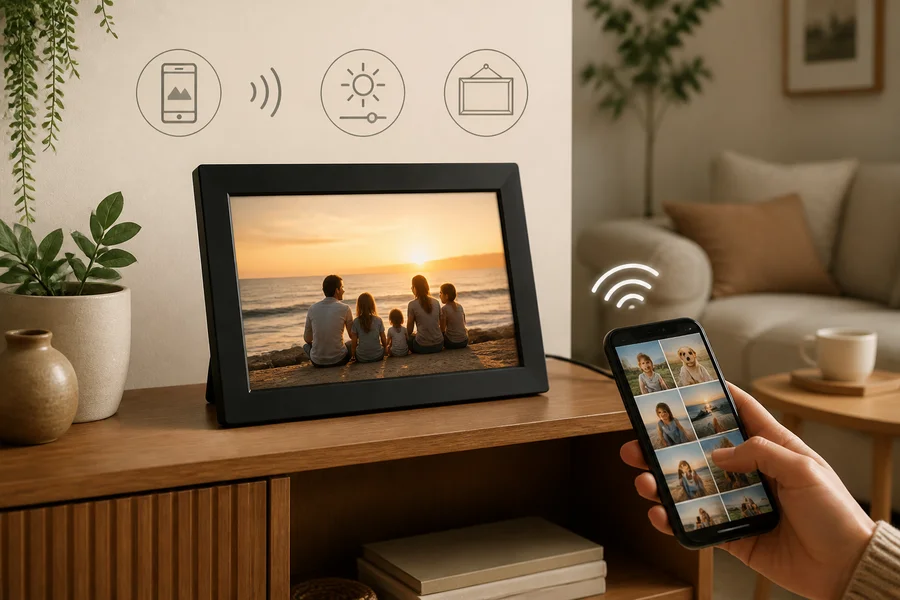
The best Wi-Fi digital photo frame is the one that fits your room and household habits: choose it for remote photo sharing and automatic updates, then compare its display, app, privacy controls, offline behaviour, placement and ongoing costs. If you want a fixed image with no accounts or connectivity, a traditional frame may be the better choice.
Definitions
Wi-Fi digital photo frame
A digital display that connects to a wireless network so photos can be uploaded, managed, or shared through an app or online service.
Aspect ratio
The proportional relationship between a screen’s width and height, which affects how portrait and landscape photos are displayed or cropped.
Viewing angle
How clearly the screen can be seen from different positions rather than only when viewed straight on.
Offline viewing
The ability to continue displaying photos after the frame temporarily loses its internet connection, subject to the device’s stored content and features.
Cloud storage
Online storage managed by a service provider, which may support remote uploads and sharing but can involve account, privacy, or subscription considerations.
Total ownership cost
The combined cost of buying, operating, maintaining, and retaining access to the frame over time.
Best Wi-Fi Digital Photo Frame: Start With the Household’s Needs
There is no single best Wi-Fi digital photo frame for every home. The right choice depends on who will use it, where it will sit and whether connected photo sharing genuinely makes everyday life easier.
A Wi-Fi frame can let family members add photos remotely instead of relying on a memory card or manual transfer. That can be useful for shared family albums, grandparents, caregivers, gifts and travel memories that continue to grow after the frame is placed in the home.
For a fixed favourite photograph, very simple upkeep or a home that does not want accounts and internet-connected devices, a traditional frame may be more suitable. Compare display quality, connectivity, privacy, features, placement and total ownership cost before deciding.
- Choose connected sharing when photos need to be updated by people in different homes.
- Choose simplicity when one printed photograph and minimal maintenance are the priority.
- Assess the frame as part of the room, not only as a screen with a feature list.
Who Benefits From a Wi-Fi Digital Photo Frame—and Who May Prefer a Traditional Frame
Begin with the people who will view and update the frame. A connected frame has the clearest purpose when contributors live separately, when a recipient may not want to manage regular uploads, or when the household wants fresh images to appear without handling storage cards.
It can make a thoughtful home gift for a family member who enjoys seeing new moments from children, relatives or friends. Before buying, consider whether the recipient is comfortable with an app and account, or whether another household member will handle those tasks.
A traditional frame may be a better fit if permanence, low maintenance, no Wi-Fi and no cloud account matter most. A Wi-Fi frame adds convenience, but it also introduces network dependence, app management and decisions about who can access shared photos.
- Ask who will upload photos and how often they are likely to do so.
- Consider whether several households need to contribute to one display.
- Do not assume remote sharing is useful simply because it is available.
- Choose an offline option when avoiding accounts and connected services is the main goal.
Traditional frames as a non-digital alternative
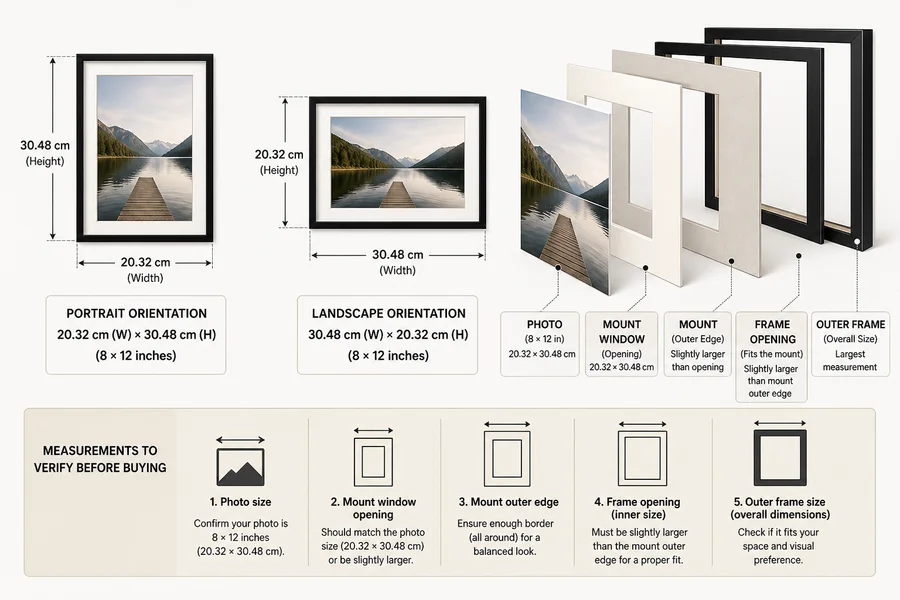
For a fixed printed photograph, compare these traditional tabletop frames and wall-frame set by their listed materials, display format and care guidance. They are non-digital options, without Wi-Fi uploads or automatic slideshows. Confirm the supported photo opening or print size before ordering; overall frame dimensions do not establish which photograph will fit.

From ₹949
₹1,190
18%OFF

₹1,359
₹2,325
42%OFF

₹949
₹2,000
53%OFF
Compare Display Size, Resolution, Aspect Ratio, Brightness, and Viewing Angle
Think of size in practical categories rather than searching for one ideal measurement. A smaller frame can suit a bedside table, desk or entryway surface; a medium display may work well on a sideboard; and a larger display can be easier to enjoy from across a living room. Larger is not automatically better if it overwhelms the furniture or available wall space.
Check resolution together with screen size. A screen with an appropriate resolution for its dimensions is more likely to show photographs clearly, while the exact experience will also depend on the source image and the frame’s processing. Review the listed specifications rather than relying on size alone.
Aspect ratio matters because households usually have a mix of portrait and landscape images. Find out whether the frame crops photos, adds borders or lets you control how images fit the screen. Also consider brightness adjustment for daylight rooms and dimmer settings for bedrooms.
Viewing angle is particularly important for a sofa, dining table or hallway, where people may see the display from the side. Finally, choose a visual finish that works with the room, whether your preference is minimal, modern or classic, and whether wood, metal, plastic or glass feels most at home.
- Match display size to the usual viewing distance and available surface or wall space.
- Review resolution alongside screen dimensions.
- Check portrait and landscape handling before committing to an aspect ratio.
- Look for adjustable brightness and confirm the listed viewing-angle specification.
- Consider frame material and style as part of the room’s overall look.
Assess Wi-Fi, Apps, Cloud Accounts, Storage, Sharing, and Offline Viewing
The connected experience determines whether a Wi-Fi frame feels effortless or inconvenient. Check the stated Wi-Fi requirements, whether setup needs a companion app and whether the device requires ongoing internet access for uploads, syncing or account verification. Confirm app compatibility directly in the product information before purchase.
Storage deserves close attention. Photos may be kept on the device, in provider-managed cloud storage or in both places. Look for the usable storage amount, any limits on uploads and what access you retain if a service changes. Also check supported photo formats, video options and how the frame resizes or crops images.
For family sharing, review how contributors are invited and managed. Some products may allow several people to send photos, while others may require approvals, invitations or a single account holder. Make sure contributors can be removed later if circumstances change.
During an internet outage, a frame may still show photos already stored locally, but cloud-dependent uploads and other online functions can pause. Do not assume that every frame offers the same offline viewing behaviour.
- Verify Wi-Fi requirements and whether continuous internet access is needed.
- Check app, account and device requirements from current product documentation.
- Identify whether storage is local, cloud-based or a combination of both.
- Review contributor invitations, approval options and access removal.
- Confirm photo formats, upload limits, cropping behaviour and any video support.
- Ask what remains available when the internet connection is unavailable.
Review Privacy Controls, Permissions, Moderation, and Account Management
Family photographs can be personal, so privacy should be a central buying criterion rather than an afterthought. Read the provider’s current privacy information to understand what account data may be collected, whether images are uploaded to provider-controlled servers and how content is handled.
Look for meaningful owner controls. Depending on the product, these may include contributor invitations, approval or moderation before images appear, the ability to revoke access and options to remove individual photos. Check whether the account owner can clear the frame, delete the account and request deletion of stored content.
Review documented security practices, including account protection and encryption information where it is specifically described. Avoid treating any connected product as completely private or secure. Physical access matters too: visible captions, notifications, shared albums or location details may reveal more than the household intends.
- Read privacy terms before uploading personal family photographs.
- Check who can invite contributors, upload photos and approve images.
- Confirm how access can be revoked and photos can be removed.
- Look for clear account deletion and content-deletion information.
- Consider what visitors or others in the room can see on the display.
Compare Scheduling, Rotation, Captions, Video, Power Needs, and Placement
Useful features should suit the room and routine. Review automatic rotation, shuffle controls, album selection and display-order settings if you want the frame to feel varied without constant attention. If the frame is for a bedroom or an energy-conscious home, verify whether it has scheduling, sleep mode or screen-off settings rather than assuming those controls are included.
Decide how much information should appear with each image. Captions, dates and locations can add context, but some households may prefer a clean display or want to hide sensitive details. Video is a separate feature to assess: check its effect on storage, sound, playback controls and any account requirements.
Most Wi-Fi frames need frequent or continuous power, so placement should include a realistic plan for the cable and adapter. A freestanding frame needs a stable surface and a convenient socket; a wall-mounted option needs secure mounting, practical cable routing and access to controls. A larger, widely visible display may suit a living room, while an entryway may call for a smaller frame and a bedroom may benefit from dimming or scheduled screen-off time.
- Check rotation, shuffle, album and display-order controls.
- Verify scheduling, sleep mode or screen-off settings if they matter to your routine.
- Decide whether captions and metadata should be shown or hidden.
- Treat video support as a specification to confirm, not a standard feature.
- Plan for power access, adapter position and cable visibility.
- Compare freestanding stability with wall-mounting needs and control access.
Calculate Subscriptions, Warranty, Energy Use, and Total Ownership Cost
The purchase cost is only one part of the decision. Check whether standard use requires a recurring subscription, whether cloud storage is included and whether some features are available only through optional paid services. Distinguish included access from a free trial or promotional period.
Review documented warranty terms, return conditions, exclusions, service availability and the availability of replacement power accessories. These details can matter more over time than a long features list, especially for a frame intended as a gift.
Energy use depends on screen size, brightness, operating schedule, standby behaviour and local electricity conditions. A display that runs all day will have different needs from one that is scheduled around household hours. The value of easy sharing may justify the added cost for some families, but a higher upfront price does not automatically mean better display quality, privacy controls or app support.
- Check for subscriptions, cloud-storage limits and optional premium features.
- Separate permanent included features from time-limited offers.
- Read warranty, return and accessory terms where available.
- Use scheduling or screen-off controls when offered and appropriate.
- Weigh convenience against the long-term cost of maintaining connected access.
Practical Wi-Fi Digital Photo Frame Comparison Checklist
Use this checklist to compare shortlisted frames consistently. It helps keep the decision focused on the experience your household will actually have, rather than on an impressive but unnecessary list of specifications.
A Wi-Fi frame is usually the better choice when remote updates and shared albums bring clear value. A simpler digital frame or a traditional frame can be the wiser choice when offline use, low maintenance and a fixed display are more important.
- Use case: Who will view the frame, who will upload photos and is remote sharing genuinely needed?
- Room fit: Is the screen suitable for the viewing distance, furniture and wall or surface space?
- Display: What are the resolution, aspect ratio, brightness controls and viewing-angle specifications?
- Connectivity: What Wi-Fi, app, account and internet requirements apply?
- Storage: Is content stored locally, in the cloud or both, and what happens if service access changes?
- Sharing: Can multiple people send photos, and can the owner approve or remove uploads?
- Privacy: Are permissions, photo removal, account deletion and security information clearly explained?
- Features: Are rotation, scheduling, captions, video and offline viewing available and configurable?
- Placement: Is the frame freestanding or wall-mountable, and how will power and cables be managed?
- Cost: Are subscriptions, warranty limits, energy use and replacement accessories acceptable?
Final Verdict
- Choose a Wi-Fi digital photo frame when remote family updates and shared albums add real value, and the household is comfortable with an app, account, internet connection and privacy review.
- Choose a traditional frame or simpler digital option when a fixed display, offline use and minimal maintenance matter more.
- Before buying, assess display suitability, sharing permissions, privacy terms, offline behaviour, power needs and total ownership cost together rather than choosing solely by screen size or feature count.
FAQs
Are Wi-Fi digital photo frames worth buying for a home?
They can be worthwhile when remote photo sharing solves a real need, such as relatives in different homes contributing to one display. They may be less suitable if you prefer a fixed photograph, do not want an account or Wi-Fi connection, or want the least possible maintenance.
What should I look for in a Wi-Fi digital photo frame?
Compare screen size, resolution, aspect ratio, brightness adjustment and viewing angle first. Then check Wi-Fi and app requirements, local and cloud storage, contributor controls, privacy terms, offline viewing, power needs, placement options and any ongoing costs.
Do Wi-Fi digital photo frames need a subscription?
Not all frames have the same service model. Check whether the core photo display, cloud storage, sharing tools or premium features require a subscription, and distinguish included access from any trial period.
Can multiple people send photos to a Wi-Fi frame?
Some frames support multiple contributors, but the process varies by product. Confirm whether contributors need invitations, whether uploads need owner approval and whether the owner can remove access later.
Are Wi-Fi digital photo frames private and secure?
Privacy and security depend on the provider, account settings and sharing controls. Review the privacy policy, storage approach, contributor permissions, documented account protections and options for photo or account deletion before sharing personal images.
Can a Wi-Fi photo frame work without internet?
Previously downloaded or locally stored photos may continue to display during an outage, depending on the device. Uploads, syncing and other online features may pause, so confirm the frame’s documented offline behaviour before buying.
What size digital photo frame is best for a living room?
Choose a size based on the usual viewing distance and the available sideboard, shelf or wall space. A living room often benefits from a display that is easily visible from seating, but an oversized frame can look out of place in a compact room.
Do Wi-Fi digital photo frames use much electricity?
Electricity use varies with screen size, brightness, daily operating time, standby behaviour and the frame’s available scheduling controls. If energy use matters, look for documented sleep or screen-off settings and plan a schedule that matches household hours.
Keep exploring