
Quick Answer
The best OK-to-wake clock is not necessarily the one with the most features. Choose one with a visual wake cue your child can recognise, scheduling that fits your routine, and practical controls, brightness, power behaviour, and placement for the bedroom.
Definitions
OK-to-wake clock
A child-focused clock that uses a visual signal, schedule, or display change to indicate when it is time to stay in bed or when it is acceptable to get up.
Wake indicator
The visual cue that communicates the scheduled wake point, such as a colour change, symbol, illuminated panel, or other easily recognised display state.
Setting retention
The clock’s ability to preserve its time and programmed schedules after a power interruption, depending on its design and any backup power.
Control lock
A feature that limits accidental or child-initiated changes to the time, schedule, brightness, or other settings.
Best OK-to-Wake Clock: Start With the Routine, Not the Feature List
The best OK-to-wake clock is the one that fits the household routine and gives a child a cue they can readily recognise. Rather than starting with a long list of features, begin with the wake times you need, where the clock will sit, how bright the room is, and which caregivers may need to adjust it.
An OK-to-wake clock can support a consistent household routine by making the chosen wake point more visible. It is not a guaranteed answer to sleep difficulties or early waking, so it is most useful when its cue and setup are kept clear and consistent.
Focus on child-friendly clocks with a clearly distinguishable visual indicator, programming that suits the household, and controls that caregivers can use confidently.
- Decide whether you need one daily wake time or different settings across the week.
- Consider the child’s normal viewing position before choosing a display style.
- Choose features that solve a defined household need rather than adding complexity.
What an OK-to-Wake Clock Does and Who May Need One
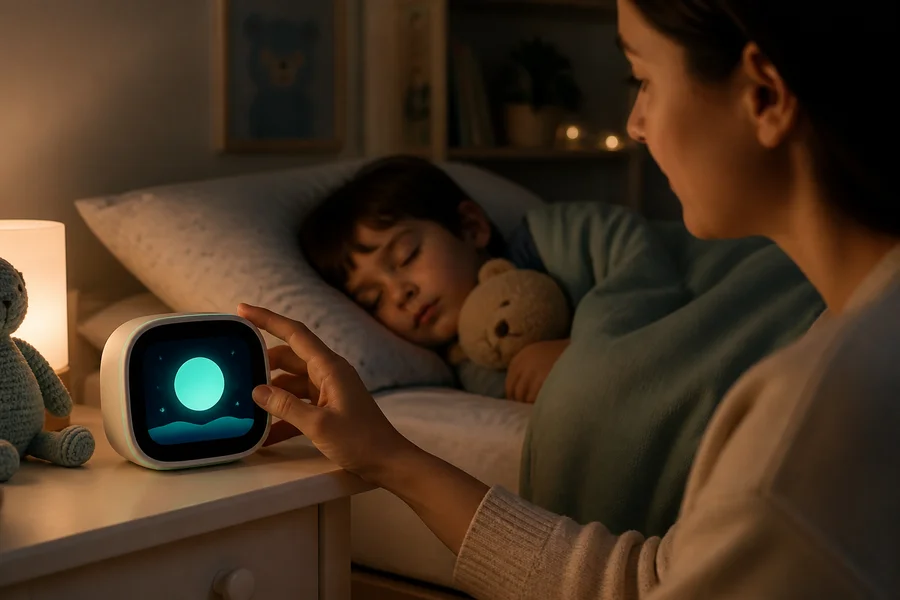
An OK-to-wake clock changes its display at a scheduled time. A colour, icon, face, lighted panel, or similar visual change can communicate the routine without requiring a child to read a conventional clock face.
It can suit caregivers who want a clear visual routine cue in a child's bedroom or shared bedroom. First check the manufacturer's intended age, use and placement instructions for the model. Within those limits, consider whether the child can understand the selected cue and whether caregivers can use it consistently. The cue is a household reminder, not a substitute for caregiver judgement or responding to the child's needs.
Some households need one regular wake time. Others may want separate weekday and weekend settings, a nap-related schedule, or controls that several caregivers can use without confusion.
- One daily wake schedule for a simple routine.
- Separate weekday and weekend schedules where wake times differ.
- A secondary or nap schedule only when it will genuinely be used.
- Straightforward controls for caregivers sharing setup responsibilities.
Compare Wake Indicators: Make the Signal Easy to Understand
The wake indicator is the most important child-facing feature. Simple colour changes can be easy to notice, while icons, faces, and illuminated displays may offer an additional visual prompt. A combination of cues can be helpful when it remains uncomplicated.
Check whether the sleep and wake states are clearly different from the child’s usual bed or waking position. The cue should not depend on small text, a detailed digital readout, or a symbol that is difficult to distinguish in the room’s typical lighting.
If the default colour or symbol may be confusing for your household, look for customisation options. Sound can support the visual cue when needed, but it need not be the main signal.
- Prefer a clear difference between the sleep state and wake state.
- View the indicator from the planned placement distance.
- Check visibility in both low light and daytime conditions.
- Choose adjustable colours or symbols only if they improve clarity.
- Treat sound as optional support, not an automatic requirement.
Check Schedules and Controls Before Choosing
Match the clock’s programming options to the routine you actually follow. Separate weekday and weekend schedules are useful when wake times vary, while secondary schedules can be helpful only when naps or another daily cue are part of the plan.
More scheduling modes are not always better. They can add setup steps and make it harder for another caregiver to understand which programme is currently active. Look for a clock that clearly shows its active schedule and makes temporary changes manageable.
Consider how the clock is set up. Some models may work entirely through on-device controls, while others may use an app or connected service. Check whether Wi-Fi, an account, a subscription, or a phone is required before choosing.
- Verify weekday and weekend settings if you need both.
- Add nap or secondary schedules only when they are useful.
- Look for a clear way to confirm the active schedule.
- Choose control locks, covered buttons, or similar safeguards where accidental changes are a concern.
- Make sure every caregiver can set and adjust the clock.
Assess Display Comfort: Brightness, Colour, and Sound
A clock can be easy to see without becoming the brightest object in the room. Adjustable brightness is useful when the clock will be used in a dark nursery or bedroom, particularly if the display is close to the bed.
Check for a dim, low-light, or display-off option if a continuously illuminated screen would be distracting. At the same time, the selected wake indicator should remain visible enough for the intended placement.
Review volume, mute, and sound settings only in relation to the cue your household plans to use. A visual signal may be sufficient, while some homes may prefer an optional sound at the scheduled change.
- Check for brightness adjustment or a low-light mode.
- Confirm that the wake cue remains visible at the chosen setting.
- Assess legibility from the intended distance.
- Choose adjustable sound or mute settings if they support your routine.
Check Power Reliability, Durability, Placement, and Setup
Power behaviour can make a major practical difference. Check whether a clock retains the time and programmed schedules after a power interruption, and whether it uses batteries or another backup method. Backup systems vary: some preserve settings while others may support only limited functions.
Choose a stable size and base for the intended bedside surface or shelf. Material alone does not confirm durability, but plastic, silicone, and wood can have different cleaning and handling considerations depending on the room.
Place the clock where the child can see the wake indicator clearly but cannot easily pull it down, knock it over, or change the controls. Confirm the power requirements and setup instructions before deciding where it will live.
- Read what the backup system preserves after a power cut.
- Check the base and dimensions against the planned surface.
- Keep cords and the clock itself positioned safely and securely.
- Choose a location that is visible but not easy to tamper with.
- Confirm that caregivers can repeat the setup if necessary.
Ordinary clocks for displaying the time
If you want a separate clock simply to display the time, compare these analog table clocks by their listed dimensions, dial design, power requirements and care guidance. They are ordinary time-display options, not OK-to-wake indicators; their listings do not establish scheduled colour changes, alarms or sleep-training functions. Check the manufacturer’s intended use and placement guidance, and position the clock securely away from pull-down or knock hazards.

₹989
₹2,599
62%OFF

₹1,214
₹1,795
32%OFF

₹1,274
₹2,499
49%OFF
Essential Features vs Unnecessary Complexity
A clear wake indicator, dependable scheduling, readable display, suitable brightness, stable placement, and manageable controls are the core considerations. These features directly affect whether the clock can be used consistently in the room.
Wi-Fi, apps, accounts, subscriptions, extensive customisation, and numerous schedule modes are optional. They can be useful for remote setup or shared caregiver access, but they are not inherently better for every home.
A simple clock is often the stronger choice when multiple caregivers need to operate it. Do not assume that more sounds, more settings, or a premium-looking design will make the cue clearer for a child.
- Prioritise clarity and dependable routine support.
- Choose connected features only for a specific practical reason.
- Avoid extra modes that no caregiver expects to use.
- Favour controls that are easy for adults and harder for children to alter.
OK-to-Wake Clock Buying Checklist
Use this checklist to compare options before bringing a clock into the bedroom. A suitable choice should be understandable for the child and straightforward for every caregiver who may use it.
- The child can understand the wake indicator without reading a detailed clock face.
- The indicator is visible from the intended sleeping or waking position.
- The clock supports the required daily, weekday, weekend, or nap schedule.
- Controls can be locked or are difficult to change accidentally.
- Brightness and sound can be adjusted for the room where needed.
- Power-cut behaviour and setting retention are clearly documented.
- The clock is stable, appropriately sized, and suitable for its planned placement.
- Setup does not require unnecessary connectivity or technical steps.
- All relevant caregivers can operate the clock consistently.
Final Verdict
Start with the manufacturer's intended age and use, then choose a clear visual cue the child can recognise and scheduling that fits the household. Prioritise manageable caregiver controls, comfortable display settings, documented power-cut behaviour and stable placement.
Add connected features or extra schedules only when they meet a defined need. If several options satisfy those requirements, favour the simplest one that every caregiver can operate consistently. A clock supports a routine; it does not guarantee a solution to sleep difficulties or early waking.
FAQs
What is an OK-to-wake clock?
An OK-to-wake clock is a child-focused clock that changes a visual display at a scheduled time to show when it is acceptable to get up. The cue may be a colour, icon, face, illuminated panel, or another easy-to-recognise signal.
What age is an OK-to-wake clock suitable for?
Check the manufacturer's stated intended age and use for the particular model rather than assuming one age range applies to every clock. Within that guidance, consider whether the child can understand the visual cue and whether caregivers can use it consistently. This guide does not set a developmental age threshold or promise a sleep-training outcome.
Can an OK-to-wake clock set weekday and weekend schedules?
Some clocks offer separate weekday and weekend settings, while others provide only one daily schedule. Check the product specifications if your household has different wake times during the week.
Should an OK-to-wake clock have adjustable brightness?
Adjustable brightness can be useful in a dark nursery or bedroom, where a bright display may be more noticeable than desired. It is most helpful when you need to balance visibility of the wake cue with comfort in the room.
Do OK-to-wake clocks work during a power cut?
Power-cut behaviour varies by model. Some clocks retain time and schedules with battery backup, while others may preserve only limited settings or need to be reset. Check the instructions for exactly what the backup system supports.
Are OK-to-wake clocks easy for children to use?
They can be straightforward when the wake cue is clear and does not depend on reading small text or a detailed clock face. The child should be able to distinguish the sleep state from the wake state at the clock’s planned location.
Does an OK-to-wake clock need Wi-Fi or an app?
No. Some clocks can be set directly on the device, while others may use an app or connected service. Choose Wi-Fi or app features only if remote setup, shared access, or another specific household need makes them useful.
Where should an OK-to-wake clock be placed?
Place it where the child can see the indicator from the normal sleeping or waking position, on a stable surface. It should be positioned so it is not easy to pull down, knock over, or alter without caregiver help.
Keep exploring